
You request a product page and receive 200 OK. The response body has a <div id="root">, a few script tags, and no price. Open the same URL in Chrome: the price is visible in Elements, and the Network panel shows a JSON request after navigation. That is the point at which the raw HTML vs screenshot decision begins.
Do not take a screenshot yet. First compare three things: the HTTP body, the DOM shown in Elements, and the requests made after the page loads. If the value is already in the response, parse the response. If it appears only after a script runs, collect the rendered DOM. If the value is represented only by pixels, such as a canvas chart or a color state, capture an image for that visual evidence.
Browsers receive markup, build a DOM and CSSOM, then lay out and paint the result. MDN’s rendering overview walks through those stages. The output you keep should match the stage that contains the information you need.
Raw HTML vs Screenshot: start with the observed signal
| What you observe | First output to keep | What to check next |
|---|---|---|
| The response contains the expected price, link, or table row | Raw HTML | Parse the target selector and verify the expected count |
| The response has a root container and scripts, but Elements contains the target value | Rendered DOM | Wait for a named selector or visible text, then save the DOM |
| A value appears in a canvas, image, or color treatment | Screenshot | Fix viewport and capture the relevant element or page region |
| The DOM still lacks the target value | No output yet | Inspect failed XHR or fetch requests and console errors |
This is why a screenshot is rarely the immediate fallback for incomplete HTML. The rendered DOM is usually the missing step. It still has selectors, attributes, text nodes, and link targets; HTML can be parsed into a queryable Document, as described in MDN’s DOMParser documentation. A screenshot cannot restore those details after they have been discarded.
When the raw response already has the data
Suppose a listing page returns ten .product-card elements, each with a title, price, and canonical URL. The extraction job has a clear source: save or parse the response body, then assert that the selector count is ten. A browser adds little value unless the task also needs to verify layout or an interaction state.
Check the response before relying on a selector. A 200 status only confirms that a server answered the request; it does not confirm that the expected page data arrived. Search the body for a known product name, an item ID, or a price format. If that check passes and the selector count is stable, raw HTML is the smallest useful output for a structured dataset.
When the browser changes the answer
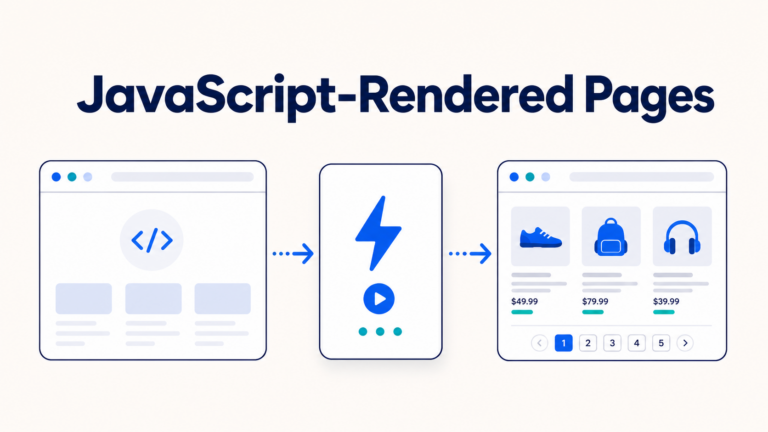
A short response containing a root container and large JavaScript bundles is a different situation. Navigate with a browser and wait for a page-specific signal: a results list with at least one item, a data-ready="true" attribute, or a heading that identifies the loaded view. Avoid a fixed five-second sleep. It can be too short on one run and unnecessarily long on the next.
When the signal appears, store the rendered DOM rather than a screenshot if the next step is extraction. It contains the post-script text and attributes that a parser can use. If the signal never appears, inspect the Network panel or equivalent automation events. A failed JSON request, an authentication redirect, or a JavaScript exception explains more than an image of an empty page.
When pixels are the data
Some facts do not survive as meaningful DOM fields. A chart rendered in <canvas>, a color-coded availability badge, or the placement of a cookie banner may need a screenshot because the visual result is what you are evaluating. Playwright supports page, full-page, and element screenshots, so capture the smallest region that proves the state in question.
Set the viewport, device scale, locale, and capture target before comparing images. A responsive breakpoint, translated label, or off-screen scroll container can otherwise change the result. If you need text from the image, run OCR and keep the screenshot as the source record. OCR may confuse characters and does not recover URLs, ARIA labels, hidden fields, or DOM boundaries, so it should not replace a structured source when one is available.
A decision flow for a collector
Use a page-specific assertion and make the failure state explicit:
response = fetch(url)

if response.status != 200:
    record("HTTP failure", response.status)
    stop

if requiredEvidence != "visual" and bodyContains(response.body, expectedText):
    saveRawHTML(response.body)
    stop

page = openBrowser(url)

if requiredEvidence == "visual":
    result = waitFor(visible(captureTarget), timeout)
    if result == "found":
        saveScreenshot(page, viewport, captureTarget)
        stop
else:
    result = waitFor(visible(expectedSelector), timeout)

if requiredEvidence != "visual" and result == "found":
    saveRenderedDOM(page.content())
    stop

record(page.failedNetworkRequests(), page.consoleErrors())
raise "Expected page signal was not observed"
expectedSelector should describe the business result, not a generic loading spinner. For a catalog it might be a product card with an item ID; for a report it might be a table row with the requested date. captureTarget is a separate assertion for the visual state you intend to prove, such as a chart region or availability badge. If either assertion fails, record the network and console evidence; do not treat whatever happens to be on screen as a valid screenshot result.
What to record with each capture
Keep enough context to explain a result later:
- URL, final response status, and capture time.
- The assertion tested, such as a selector, item ID, or visible heading.
- Output type: raw HTML, rendered DOM, or screenshot.
- Browser state used for rendered output: viewport, locale, and any relevant page state.
- Screenshot target and OCR result when pixels were collected for text.
Write these fields with every capture.