
For an international ecommerce team, competitor monitoring is rarely just about checking a price. A product can be available in one country and hidden in another. A promotion may appear only in a local currency. A brand can launch a new collection, change its shipping promise, or quietly replace a product page without announcing it anywhere else.
Checking a handful of stores manually is manageable. Keeping a reliable history across brands, products, and markets is a different job. A useful monitoring workflow combines three things: a focused list of public pages, an Unblocker API for retrieving pages when access or rendering is difficult, and AI tools for cleaning and summarising the resulting changes.
The goal is not to scrape everything. It is to turn a small set of relevant public signals into decisions your team can verify and act on.
What should an international ecommerce team monitor?
Start with decisions, then define the data. For a DTC or Shopify brand, useful public signals may include:
| Business question | Public page signals to capture | Important context |
|---|---|---|
| What is a competitor launching? | Product title, URL, collection, variant labels, first-seen date | A new URL may be a variant or campaign page, not a new product |
| Has the offer changed? | Displayed price, compare-at price, sale copy, bundle or shipping offer | Record currency, market, variant, and collection time |
| Is an item available to shoppers? | Public availability or sold-out wording, add-to-cart state | A storefront message is not a guaranteed view of warehouse stock |
| How is the brand positioning the product? | Headline, feature claims, product description, imagery, FAQs | Track page edits over time rather than relying on one snapshot |
| Does the experience differ by country? | Language, currency, market-specific price, shipping or returns copy | Storefront content may depend on locale, cookies, or session context |
One principle prevents many false alerts: treat every observation as a dated snapshot with context, not as a timeless fact. A displayed price without a market, currency, variant, and timestamp is difficult to compare responsibly.
Why manual checks and lightweight scripts stop scaling
Manual research works well for a one-off competitive review. It gets harder when a team needs a consistent view every week:
- Coverage drifts. Different people check different products or forget a market.
- History disappears. A current spreadsheet does not show when a price or product page changed.
- Markets are not interchangeable. Currency, language, shipping terms, and promotions can vary by locale.
- Storefronts are dynamic. Product variants, region selectors, consent banners, and app-driven content can affect what a browser sees.
- A successful request can still produce bad data. The page may load, but a changed layout can leave a parser with a blank price or a misleading availability label.
This is why a monitoring system needs more than a fetch step. It needs a data contract, historical snapshots, quality checks, and a way to review uncertain changes.
The technical challenges of collecting public storefront data
JavaScript and market-specific rendering
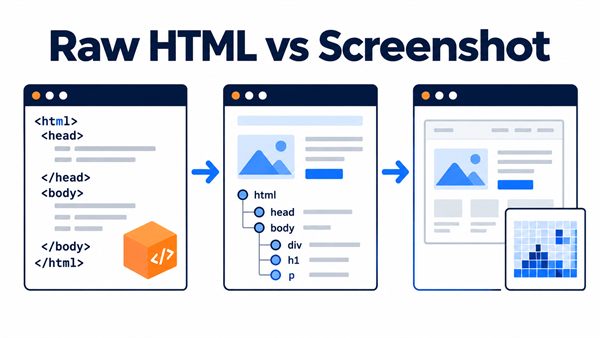
Some storefront elements render in the browser or change after a market, currency, or variant selection. A basic request may retrieve the initial HTML but miss the content a shopper sees. Before relying on a collection method, test it against the exact pages and market contexts that matter to your analysis.
Temporary failures and access controls
Storefronts may return incomplete pages, rate-limit bursts, or behave differently across sessions. Repeating the same request without recording the response status, time, and context makes it hard to tell a temporary access issue from a genuine product change.
Theme and app changes
Shopify merchants can change themes and install storefront apps. Product cards, pricing blocks, subscription details, and promotional messaging can move or change markup. Selectors that worked last month may stop matching after a redesign.
Variant and price matching
A product may have multiple sizes, colours, bundles, or region-specific versions. Price monitoring can create false alerts if a new variant is compared with a different variant or if currencies are mixed. Define a stable matching key—such as normalized product URL plus variant attributes—and keep currency as a separate field.
Where an Unblocker API fits—and where it does not
An Unblocker API can help with the retrieval layer when a public page needs browser rendering, a more suitable request context, or managed retries. The exact capabilities vary by provider, so verify support for the target sites, rendering mode, region handling, response format, and usage limits before designing around them.
It does not decide what you are allowed to collect, make a third-party storefront’s private data public, or guarantee that every page will always be available. It is an access and page-retrieval component—not a permission grant or a substitute for data-quality checks.
For teams using Clawoxy, the currently confirmed workflow includes entering a URL in its Web interface; its API provides official example code that can be copied and run. Confirm current Shopify-specific support and available Unblocker options in the product interface and documentation before promising particular rendering, scheduling, or monitoring features.
Pair the API with AI for a reviewable monitoring loop
The most practical division of labour is straightforward:
- The collection layer retrieves selected public product or collection pages.
- A normalisation layer maps page content into a stable set of fields.
- AI helps interpret what changed and drafts a concise update.
- A person verifies material price, availability, and positioning changes against the source page.
A useful record might include:
store_name
market_or_locale
product_url
product_name
variant
displayed_price
currency
availability_text
promotion_text
collected_at
source_status
AI can help standardise date and price formats, classify promotion copy, group similar products, compare two snapshots, and draft a weekly change report. Ask it to cite the source URL and timestamp for each finding and to label uncertain matches instead of filling gaps with guesses.
For example: “Compare these two snapshots for the same market. List only confirmed changes to displayed price, variant, availability wording, promotion text, and product title. Include both collection timestamps and source URLs. Flag uncertain product matches for review.”
AI is an analysis assistant, not a source of truth. If a change could affect pricing, stock planning, or a customer-facing decision, verify it in the original storefront—or use an authorized first-party data source for your own store.
A step-by-step workflow for store monitoring
1. Write down the decision
Choose a concrete question, such as “Which three competitors changed the price of their best-selling outdoor lights this week?” This keeps the scope manageable and makes it easier to choose the right fields.
2. Build a small, curated URL list
Start with priority product pages, collection pages, and relevant localized storefronts. Save the source URL and the market context for each one. Avoid crawling broad sections of a store simply because they are available.
3. Define a field schema and comparison rules
Decide how to identify the same product over time, how to handle variants, and whether a promotion is a price change or a separate offer. Keep raw text alongside normalized values so reviewers can inspect the source signal.
4. Retrieve pages at a proportionate cadence
Choose a cadence based on how quickly the information changes and what the site’s rules allow. Use an Unblocker API only where it is needed for the target page and provider-supported use case. Avoid unnecessary request volume.
5. Save timestamped snapshots
Keep the observed URL, retrieval time, market, currency, response status, and extracted fields. A snapshot history lets the team distinguish a real change from a transient error or a page-layout update.
6. Run quality checks before asking AI to summarise
Flag missing prices, unexpected currencies, duplicate product matches, sudden field-count changes, and failed responses. Do not ask an AI model to interpret an incomplete scrape as though it were a confirmed business event.
7. Review exceptions and share a concise digest
Use AI to produce a short report organised around business impact: new products, price changes, offer changes, availability wording, and items requiring review. Keep links and timestamps attached so teammates can verify each item quickly.
Public competitor pages vs. your own Shopify data
For your own store, use authorised Shopify reporting or APIs where they provide the data you need. Shopify’s Storefront API supports storefront experiences involving products and collections, while inventory management is available in Shopify Admin. Those first-party sources are more appropriate than inferring internal inventory from public page text.
For another brand’s store, limit collection to public pages that do not require an account or access-control bypass. Review the site’s terms and relevant privacy requirements, respect applicable crawling preferences and stop requests, minimise collected data, and use a reasonable request cadence. An Unblocker API should not be treated as permission to bypass a login, paywall, CAPTCHA, or other access restriction.
Common questions
Can I monitor a Shopify competitor’s prices automatically?
You can monitor prices displayed on public pages, subject to applicable site rules and law. Record the product variant, market, currency, promotional text, URL, and timestamp so comparisons are meaningful. A displayed price may change by context and is not a record of the merchant’s back-office pricing configuration.
Does an Unblocker API guarantee access to every store?
No. Provider capabilities and target-site behaviour vary. Test representative pages, check the provider’s supported features and terms, and design for partial failures and format changes.
Can AI create a competitor report from page data?
AI can help compare snapshots and draft a readable summary. Reliable output depends on stable product matching and clean inputs. Keep source URLs and timestamps, and manually verify significant or ambiguous changes.
Should I scrape my own Shopify store?
If you control the store, start with Shopify Admin reports or authorized APIs. Public-page collection can be useful for checking the shopper-facing experience, but it may not reflect internal inventory, orders, or other private operational data.
Final thought
Good DTC monitoring is less about collecting the largest possible dataset and more about building a dependable feedback loop: choose a decision, retrieve a focused set of public pages, preserve timestamped evidence, compare like with like, and review the exceptions.
An Unblocker API can reduce some of the operational work involved in retrieving difficult pages. AI can help turn snapshots into a useful briefing. The team still owns the scope, data definitions, permissions, and final judgement. Start with a few high-value products and markets, prove the monitoring loop, then expand deliberately.